91% of customer service leaders face direct pressure from management to deploy AI in their operations in 2026 (Gartner, February 2026). The promise is appealing: reduce handling costs while maintaining or improving customer satisfaction. Practical experience tells a more nuanced story. Companies connecting a generic chatbot to after-sales support without architectural planning see satisfaction plummet and customers demanding a human by the second interaction.
The real challenge is not whether an AI agent can answer a ticket. It is designing a system that knows when to answer, when to stay silent and when to hand over, without the customer noticing the transition.
TL;DR — An effective AI support agent rests on three pillars: a RAG architecture connected to your business knowledge base, prompt engineering calibrated for the agent's tone and limits, and human escalation transferring full context so customers never have to repeat themselves. This article details every technical and organizational component.
Support Faces an Economic and Quality Paradox
Support Costs Have Become Unsustainable
After-sales service concentrates growing tension in French companies. Wage inflation and shortages of qualified technical support staff make human handling costs difficult to absorb, particularly for low-value requests such as order tracking, password resets and warranty checks.
According to CitizenCall's 2025 barometer, AI agents can save up to 30% on customer relationship operations. For a support center handling 10,000 tickets monthly, that significantly reduces operating budgets, provided automation does not create a rebound in dissatisfaction tickets.
Customers Want Speed, Not Low-Cost Service
Many management teams instinctively see AI as a cost-cutting tool. That frames the problem incorrectly. Data shows 51% of consumers prefer interacting with an AI agent over a person, not because they dislike human contact, but because they value response speed and 24/7 availability (CitizenCall, 2025).
The challenge is therefore to offer instant resolution for suitable requests while preserving human access for situations requiring it, rather than replacing people simply to save money.
The Hybrid Model Outperforms Both Extremes
Studies converge on one finding: mixed human-and-AI teams are 60% more productive than entirely human or entirely automated teams. At academic publisher Wiley, integrating an AI support agent increased resolved cases by more than 40% without measurable deterioration in customer satisfaction.
Connecting an LLM to an inbox does not achieve this. It requires an architecture designed for complementary roles.
Technical Architecture of a Robust AI Support Agent
Three Layers of an AI Support System
A reliable AI support agent relies on three distinct architectural layers, each with its own role and constraints.
| Layer | Role | Key technologies |
|---|---|---|
| Understanding layer | Analyze customer intent, detect sentiment, classify requests | LLMs: GPT-4, Claude, Mistral; NLU; sentiment analysis |
| Knowledge layer | Provide factual answers based on business documentation | RAG, vector databases: Pinecone, Weaviate, Qdrant; knowledge base |
| Orchestration layer | Manage conversation flow, API calls and human escalation | Orchestrators: LangChain, LlamaIndex; state machine; router |
The most common mistake is confusing these layers. Even a capable LLM alone knows nothing about your products, return procedures or delivery times. Without the knowledge layer, it improvises, and a support agent that improvises makes promises the company cannot keep.
RAG as the Foundation: Grounding the Agent in Business Reality
Retrieval-Augmented Generation (RAG) is the core mechanism separating a useful AI agent from a hallucinating chatbot. Before generating an answer, the agent queries a structured knowledge base for relevant information, then builds its answer on that factual foundation.
In practice, support RAG implementation involves several components:
Knowledge-base indexing. Product sheets, return procedures, warranty terms, internal FAQs and resolution scripts are divided into semantic chunks, converted to embeddings and stored in a vector database. Chunk granularity is critical: oversized chunks bury relevant information, while excessively small chunks lose context.
Real-time semantic search. When customers ask a question, the agent converts it into a vector and finds semantically close passages. A good system combines vector and keyword search—hybrid search—to handle customer wording that differs from internal vocabulary.
Constrained generation. The LLM receives retrieved passages as context and generates an answer based exclusively on that data. The system prompt explicitly prohibits inventing information absent from the supplied context.
Business Connectors: The Agent Must Act, Not Just Answer
A support agent limited to rephrasing documentation covers only a fraction of requests. Common queries—“Where is my order?”, “I want a refund”, “Change my delivery address”—require concrete actions in your systems.
The architecture must provide API connectors to:
- CRM systems such as Salesforce, HubSpot and Pipedrive for customer history and record updates
- ERP or Order Management System (OMS) for order tracking and changes
- Ticketing systems such as Zendesk, Freshdesk and Intercom for creating, escalating and closing tickets
- E-commerce platforms such as Shopify, Magento and PrestaShop for product and returns data
Each connector is encapsulated in a tool the LLM can invoke through function calling. The orchestrator checks permissions and applies guardrails before execution.
Prompt Engineering: Calibrating Agent Behavior
The System Prompt as the Agent's Foundational Contract
Prompt engineering for support agents is very different from writing one-off queries. It means designing a system prompt that defines identity, limits and behavior across every interaction.
An effective support system prompt covers five dimensions:
- Identity and scope: who the agent is, which company it represents and which products or services it covers
- Response rules: tone, length, format, formal or informal address, and language
- Authorized sources: answers come only from supplied RAG context, never general knowledge
- Authorized actions: an explicit list of callable tools and the conditions for using them
- Escalation rules: precise conditions triggering a human handover
Anatomy of a Support System Prompt
Here is the structure of a customer-support system prompt, divided into functional blocks:
BLOC 1 — IDENTITÉ
Tu es l'assistant SAV de [Entreprise]. Tu aides les clients à résoudre
leurs problèmes liés à [périmètre produit/service]. Tu communiques
en français, avec vouvoiement systématique.

BLOC 2 — CONTRAINTES DE RÉPONSE
- Réponds uniquement à partir des informations fournies dans le contexte.
- Si l'information n'est pas dans le contexte, dis-le explicitement.
  Ne fabrique jamais de réponse.
- Limite tes réponses à 150 mots maximum sauf demande contraire.
- Ne communique jamais de données personnelles d'autres clients.

BLOC 3 — GESTION DU TON
- Adopte un ton professionnel, empathique et orienté solution.
- Si le client exprime de la frustration, commence par reconnaître
  son ressenti avant de proposer une solution.
- N'utilise jamais de formules condescendantes ("je comprends votre
  frustration mais...").

BLOC 4 — ESCALADE
- Transfère à un agent humain si :
  a) Le client demande explicitement un humain
  b) Tu ne trouves pas de réponse après 2 tentatives de recherche
  c) La demande concerne un litige financier > 500 €
  d) Le sentiment détecté est négatif sur 3 messages consécutifs
  e) La demande implique une exception aux procédures standard
Prompt Engineering Pitfalls in Support
Overpromising. An overly permissive prompt lets the LLM commit to deadlines, refunds or goodwill gestures it has no authority to grant. Bound every commitment with an explicit prompt rule or an API eligibility check.
Dead-end loops. Without a clear attempt limit, an agent can endlessly rephrase the same unsatisfactory answer. The prompt must include a failure counter and escalation threshold.
False empathy. Generic empathetic phrases such as “I'm really sorry for the inconvenience” become irritating the third time. The prompt must vary wording and prioritize concrete action over verbal sympathy.
Conversational drift. An unhappy customer may try to push the agent outside its scope. Include refocusing instructions: if the question is out of scope, politely redirect to the right channel without attempting an answer.
Intelligent Human Escalation: The Mechanism That Changes Everything
Why Escalation Can Break the Experience
Gartner predicts agentic AI will autonomously resolve 80% of common customer service issues by 2029, reducing operating costs by 30%. But the remaining 20% concentrate high emotional and financial stakes—the situations that build or destroy loyalty.
Poor escalation produces the opposite of the intended effect. Customers have already explained the problem to AI, sometimes in detail. If a human asks them to repeat everything, frustration surges. Leading AI support platforms' best practices say customers should never repeat information—not their name, account number or problem history.
Five Triggers for Intelligent Escalation
Effective escalation relies on explicit triggers rather than vague algorithmic intuition:
| Trigger | Technical signal | Priority |
|---|---|---|
| Explicit request | Keywords such as “speak to a person,” “manager,” “complaint” | Immediate |
| Failed resolution | No satisfactory answer after 2 attempts | High |
| Persistent negative sentiment | Negative sentiment detected in 3 consecutive messages | High |
| High financial amount | Dispute, refund or credit exceeds a defined threshold | Medium |
| Procedural exception | No documented knowledge-base scenario matches the situation | Medium |
Context Transfer: Zero Information Loss
The technical implementation of context transfer is the system's most critical component. On escalation, the AI agent must send the human agent:
- A structured conversation summary: 3–5 key points rather than the raw transcript
- Identified intent: what the customer wants to achieve
- Actions already attempted: what AI proposed and why it failed
- Customer data: CRM purchase history, relationship length and customer value
- Sentiment score: enabling immediate adaptation of the human agent's approach
Technically, a structured JSON object is passed to the human agent's interface. A prepopulated context panel appears before the agent takes over.
{
  "customer_id": "CLT-48291",
  "summary": "Client mécontent d'un retard de livraison (commande #ORD-7823).
              Colis prévu le 12/03, toujours non reçu au 19/03.
              Transporteur : DPD. Tracking bloqué depuis 3 jours.",
  "intent": "remboursement_ou_reexpedition",
  "ai_actions_taken": [
    "Vérifié le statut tracking → bloqué en transit",
    "Proposé un suivi avec le transporteur → refusé par le client",
    "Client demande un remboursement immédiat (montant : 189 €)"
  ],
  "sentiment_score": -0.72,
  "customer_value": "gold",
  "escalation_reason": "negative_sentiment_3_consecutive + explicit_request"
}
Synchronous vs. Asynchronous Escalation: Choosing the Right Mode
Not every escalation needs a real-time transfer to an available agent. Mature architectures support two modes:
Synchronous escalation: live handoff. The customer transfers immediately to a connected human agent. Suitable for urgent situations such as highly negative sentiment, VIP customers and substantial financial disputes. Requires queue management and estimated wait-time display.
Asynchronous escalation: enriched ticket. AI creates a priority ticket with complete context and tells the customer the handling timeframe. Suitable for complex but nonurgent requests such as exceptions and technical investigations. Customers receive a notification when an agent takes ownership.
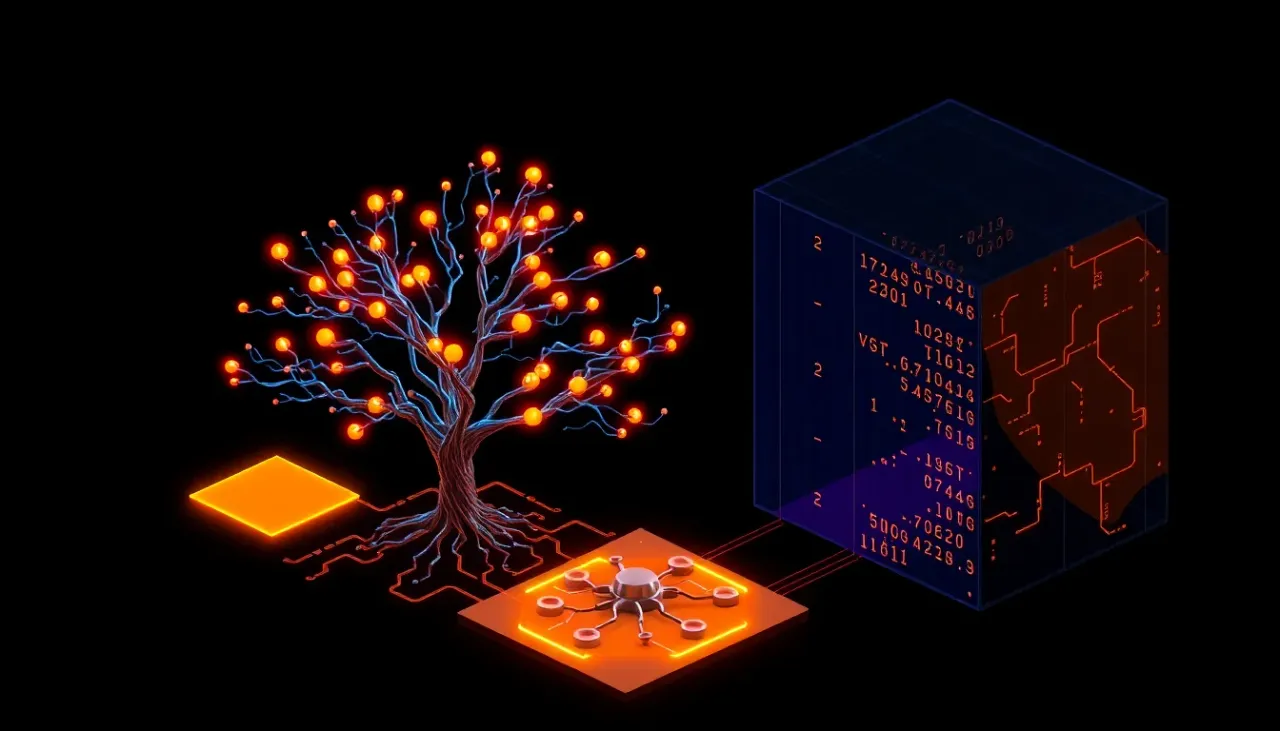
The orchestrator automatically chooses the mode based on its calculated priority score.
Measuring Performance: Metrics That Matter
Beyond the Automatic Resolution Rate
Automatic resolution is the most cited metric and the most misleading when measured alone. An agent closing 80% of conversations is not necessarily doing good work: customers may leave dissatisfied without reporting it.
Cross-reference these metrics to assess an AI support agent properly:
| Metric | What it measures | Indicative target |
|---|---|---|
| First-contact resolution: FCR | Customer gets an answer without returning | > 65% |
| Post-interaction CSAT | Reported satisfaction after the exchange | > 4.2/5 |
| 48-hour reopening rate | Customer returns on the same issue within 48 hours | < 8% |
| Escalation rate | Share transferred to a person | 15–25% |
| Average resolution time | Time from initial request to closure | < 4 min automatic; < 2 hours escalated |
| Actual containment rate | Resolved without subsequent reopening or escalation | > 55% |
Warning Signs: When AI Hurts the Experience
According to CitizenCall's 2025 barometer, 72% of companies integrating AI see improved first-contact resolution. But the remaining 28% experience the opposite: deterioration linked to rushed deployment.
Warning signs include:
- CSAT falls by more than 0.3 points within 30 days of deployment
- Reopening rises by more than 5 points: AI closes too early
- More first-message requests to speak to a person: customers have learned to bypass AI
- Average resolution time increases despite automation, signaling unproductive loops
These signals require immediate review of prompts and the knowledge base, rather than abandoning AI.
Progressive Deployment: A Production Rollout Strategy
Phase 1 — Shadow Mode: Weeks 1–4
Before exposing the agent to customers, deploy it in shadow mode: AI analyzes incoming tickets and proposes answers visible only to human agents. This allows you to:
- Measure relevance on real volumes
- Identify knowledge-base gaps
- Calibrate escalation thresholds
- Adjust the system prompt against real cases
End-of-phase objective: relevant proposed answers for at least 70% of level-1 tickets.
Phase 2 — Copilot: Weeks 5–8
The AI agent answers customers, but a human validates each response before sending. Handling time rises slightly while quality remains controlled. This phase helps:
- Build the support team's confidence in AI
- Refine responses through direct agent feedback
- Establish a reliable metrics baseline
End-of-phase objective: AI response approval rate above 85%.
Phase 3 — Supervised Autonomy: Weeks 9–12
The agent answers directly for request categories validated in phase 2. New categories remain in copilot mode. Human escalation operates in production.
End-of-phase objective: FCR > 60%, CSAT > 4.0/5, escalation < 30%.
Phase 4 — Continuous Optimization: Month 4 Onward
The agent is fully in production. Work focuses on iterative improvement: enriching the knowledge base, adjusting escalation thresholds and adding business connectors.
Gartner notes that 50% of companies reducing support headcount because of AI will have to rehire by 2027. They underestimated the need for continuous human supervision and AI system maintenance.
Mistakes That Destroy Customer Experience

Mistake 1 — Deploying Without a Structured Knowledge Base
CitizenCall's 2025 barometer reveals something few companies anticipate: the main obstacle to AI agent deployment is neither cost nor fear of dehumanization. It is the lack of a structured internal knowledge base. Without rigorous product documentation, formal procedures and consolidated FAQs, the agent has nothing to rely on.
Before any AI support-agent project, the first investment is documentation: inventory, structure and maintain a knowledge base RAG can use.
Mistake 2 — Hiding That It Is AI
55% of French people consider AI useful in customer service. But that figure collapses when customers discover afterward that they were speaking to a machine. Transparency is more than an ethical obligation: it is a condition of trust. The agent must clearly identify itself in its first message.
Mistake 3 — Measuring Only Resolution Rate
An 80% automatic resolution rate means nothing if 25% of those customers return within 48 hours with the same problem. Actual containment—confirmed resolution without reopening—is the only reliable metric for assessing automated handling quality.
Mistake 4 — Ignoring Human Agent Feedback
Human agents receiving escalations are the best source of system improvement. They directly see AI failures, inadequate answers and missing knowledge-base information. A structured feedback channel between support and technical teams is essential.
Practical guide — AI Support Agent Pre-Deployment Checklist
- Structured, indexed knowledge base: product sheets, procedures and FAQs
- System prompt tested on 200+ real conversations
- Escalation configured with full context transfer
- Operational API connectors: CRM, ticketing and e-commerce
- Defined monitoring metrics: FCR, CSAT, reopening and containment
- Shadow phase completed with relevance > 70%
- Support team trained in AI operation and feedback processes
- Explicit identification as AI in the first message
FAQ
Can an AI Agent Really Replace Human Customer Service?
No, and that is not the goal. Data shows mixed human-and-AI teams outperform fully human or automated teams by 60%. AI handles recurring, low-complexity requests such as order tracking, FAQs and simple changes, while people handle high emotional or financial stakes. Gartner projects 80% autonomous resolution by 2029 for common requests, not the entire spectrum.
How Much Does a Custom AI Support Agent Cost to Develop?
Cost varies by complexity. An agent covering 3–5 basic scenarios with RAG and escalation costs €8,000–€15,000 initially. Recurring hosting, LLM API and knowledge-base maintenance costs are €500–€2,000 monthly depending on conversation volume. ROI generally materializes in 4–6 months through fewer manually handled tickets, with support savings up to 30%.
What Are the Risks of an Incorrect AI Answer?
The main risk is losing customer trust. That makes RAG architecture and prompt constraints critical: the agent should answer only from verified knowledge-base information. When uncertain, it should escalate rather than improvise. Fallback mechanisms—failure counters, confidence thresholds and automatic escalation—distinguish a reliable agent from an unreliable chatbot.
How Do I Know Whether My Company Is Ready to Deploy an AI Support Agent?
Two prerequisites are decisive. First, documentation: do you have a structured, AI-usable knowledge base containing FAQs, procedures and product sheets? CitizenCall identifies its absence as the leading business obstacle. Second, organization: is the support team ready to supervise AI and provide feedback? If both conditions hold, shadow deployment can begin within weeks.
How Does a Conventional Chatbot Differ from an AI Support Agent?
A conventional chatbot follows a decision tree of predefined scenarios and handles only anticipated cases. An AI support agent combines an LLM and RAG to understand natural-language requests, query a dynamic knowledge base, execute API actions and decide when to escalate. Adaptability is the fundamental difference: the agent handles wording no developer anticipated, provided the information exists in its knowledge base.
Will Agentic AI Eliminate Jobs in Support Centers?
Current data suggests transformation rather than elimination. Gartner predicts 50% of companies that cut support staff because of AI will rehire by 2027. The French barometer confirms that 89% view AI as augmenting human agents rather than replacing them. Human roles shift toward supervision, complex case management and AI system maintenance, with 58% of customer service leaders targeting retraining into knowledge management specialist positions.
AI Coder Squad: Building a Support Agent That Augments Your Teams, Not a Chatbot That Replaces Them
Deploying an AI support agent requires much more than a prompt and an API: RAG connected to business systems, prompt engineering calibrated to procedures and escalation with complete context transfer. It is a custom development project rather than SaaS configuration.
AI Coder Squad designs custom applications and AI agents for businesses that want to move quickly without sacrificing quality—with senior developers and an AI-powered approach.
→ Start your project and discover how AI Coder Squad can accelerate your next delivery.